Thursday, December 11, 2008

Been Out Of Town

I've been out of town visiting relatives for about a week and while I didn't have much time (or inclination) to do much online, I did spend a lot of quality time with my T-Mobile G1 as my only consistent source of Internet access. It also gave me a chance to try out the G1's camera. The good news is that the G1 produces nice, hi-resolution images. The ones in this post were taken on a bright, sunny day at Union Station in Dallas, Texas. (I went from Chicago at 29 degrees Fahrenheit to Dallas at about 70 degrees in less than 24 hours.) The bad news is that the G1 absolutely sucks in low light conditions.

In between good and bad is the G1's shutter response. While pictures of my sister's nervous little dogs look pretty blurry on the phone itself, viewed on my laptop's big screen looked pretty good.

T-Mobile's coverage was excellent in urban areas but in rural areas it was bad to non-existent.


Monday, December 1, 2008

T-Mobile G1 Has a Great Sense of Direction

Ah, December in Chicago. No sooner does it arrive when we get the first significant snow and painful commute times. Still, good 'net access does help matters somewhat especially for CTA users. The CTA has been putting its buses online through its bus tracker which scales nicely on cell phones. Even on my older Treo 680, the web site loads well and is easy to use.

But the G1 has another weapon in its arsenal, GPS. Like most GPSes, the G1's functions poorly indoors but works perfectly outdoors. It was made for guiding people through the cold city at night. Thoughtful touches on the G1 allow me to use it even while wearing a pair of light wool gloves. While I haven't been particularly impressed with the G1's keyboard so far, I can really appreciate that its large size allows my to type even while wearing gloves. The trackball is also useful in this regard as the G1's touchscreen, like all touchscreens becomes virtually useless when you are wearing gloves. Finally, pressing the G1's home key allows me to navigate between my six most recently used applications, making it easy for me to switch between my browser and Google Maps. Awesome.

Of course this being the G1, things didn't go perfectly. At one point during my day, the screen just went blank and couldn't be turned back on again. I opened it up and popped out the battery and SIM card and the G1 roared back to life when I put them back. Why? Doesn't the G1 like the cold? Well it better get used to it, because winter has come to Chicago.

First (mobile) Post!

I've been playing around with the T-Mobile G1 as my primary phone and this is my first attempt to blog from a phone. I have two initial observations, really three observations but the first would seem to be rather mundane, I am using the full desktop sized Blogger page to write this post, not a cut down mobile page. Also, it leaves a bit to be desired. First of all the Compose form doesn't seem to work, the G1's browser seems to think that I am trying to type a URL. I am typing this in the Edit HTML form which seems to work just fine.

Second, I used to think that the forms on this page were small. But now, typing away on my phone they feel too big because they are too wide for my phone's screen. It's all a matter of perspective but flexible software helps too. I used the screen controls to make the page smaller so the forms would fit my screen. This made the text small and hard (but not impossible) to read. Then I made the fonts bigger. Now everything is just right....

Except that the Preview option doesn't work either....

Thursday, November 13, 2008

Chrome: Is This Your Father's Web Browser?

A couple of months ago I set up a computer for an older couple who had never used a computer before. It was an old laptop with busted hinge but it was in otherwise good condition and it was an easy matter of setting it up with an external monitor and wireless keyboard and mouse. Neither of them knew much about computers and they just wanted it for e-mail and web browsing—the same as most computer users these days.

When it came time to choose a web browser for the computer I wanted to steer them away from Internet Explorer. Besides being slow and bloated, IE is a magnet for hackers if for no other reason than the fact that it is installed on the vast majority of computers. So I installed Opera on the computer.

It seemed like a good choice at the time, Opera is small and fast—perfect for an old computer with only 512MB of RAM. Unfortunately, Yahoo! Mail didn't cooperate. Several days after setting up the computer, I began receiving calls about the a problem between Yahoo Mail and Opera. For some reason it kept redirecting Opera from its Inbox to the log-on page. I never figured out exactly why this was happening. So I installed Chrome—Google's then new browser—on the computer and the older couple has been happily using it for e-mail and web browsing ever since.

Chrome hasn't made much noise since the week when it was launched. A lot of geeks (myself included) downloaded it, complained about a lack of features and possible privacy problems, and quickly went back to Firefox. But from my perspective setting up computers for people—many of them older—who really know nothing about computers and don't care about cookie handling or security.

For these people, Chrome's shortcomings suddenly turn into strengths. Chrome was designed from the ground up to run javascript so temperamental web applications like Yahoo! Mail are more likely to run properly on it. Chrome runs in the background quietly updating itself through Google's Updater application even when it is supposed to be "closed." While more tech-savvy and paranoid people see this as a potential privacy risk, for people who neither know nor care about security or privacy issues, this is an invaluable feature since their web browser always has the latest updates and patches. While there is no way to control how javascript and cookies behave on a site by site basis, people who lack computer savvy won't know how to use these features anyway, so for them relying on Google to handle these potential threats makes sense. It all comes down to how much you trust Google—maybe you and I don't always trust Google but most people don't care one way of they other. For them Google's web browser is just another program that they run on their computer.

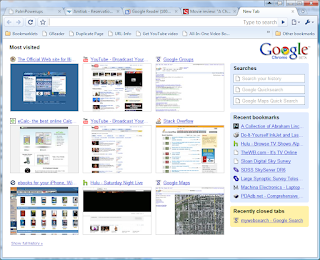
So for confused newbies, Chrome's lack of features and minimalist interface are an advantage. Ironically enough, Chrome's name comes from the term used by web developers for the buttons, menus, and other widgets that constitute the browser's interface. But Chrome has very little "chrome" compared to other web browsers; just front, back, and reload buttons, a combination address/search bar, and a couple of hidden menus which are easy to ignore. It even tucks its tabs into its title bar which further reduces clutter. And while Google has talked about producing add-ons for Chrome, there are currently none available. There are no toolbars or extensions for Chrome. But then again, too many extensions can slow Firefox down and toolbars are frequently more trouble than they are worth for Internet Explorer users.

So if you are a tech-savvy nerd who has been wondering what Google was thinking when they put out Chrome, maybe they were thinking about your mom and dad.

Monday, November 10, 2008

R.I.P. Mars Phoenix

The Mars Phoenix team has just frozen. It's a remarkable thing to feel emotions over the "death" of an inanimate object which I've never seen or touched or otherwise interacted with in any way except the occasional Twitter alert. But it was exciting to get these little updates on a mission that was pushing the boundaries of science and exploring another world. In the end, that's what we associate with the best of what we call the "human spirit." If that is the case, then that frozen slab of metal on Mars that we call Phoenix is more human than a lot of us.

Sunday, November 9, 2008

Googling Usenet

This is the sort of post which I must admit is basically just something I'm writing down so I won't forget about it. It's so nice that blogging allows me to treat the Internet as my own personal napkin.

If there is one program that I use more than any other on my computer, it's Agent. Well, I probably use a web browser, any web browser more than anything else just like everyone else. But after a web browser, I use Agent for both e-mail and for reading Usenet newsgroups. Now Agent is a pretty complex program and it has many little tricks which many people never use because they don't realize that it can do them.

One such trick is the ability to launch your web browser and retrieve a Usenet post from Google's Usenet archive. This can be useful for older topics where you want to see the whole discussion as it happened.

Setting it up is a five step process:

  1. Under the Tools | Options menu item choose URL and MIME Settings | URL Types and select news:Usenet News as your URL type.

  2. Check the following items:

    • Enable highlighting and launching

    • Remove URL prefix when launching

    • Use custom settings (below)

  3. Click Browse and point Agent to your web browser. Not every web browser works nicely with Agent to launch itself and go exactly where Agent tells it to go. Firefox works perfectly, Chrome does not. I haven't tried this trick with recent versions of Opera or Internet Explorer but based on previous experience, I would expect them to work.
  4. Check Use DDE. Use the message, http://groups.google.com/groups?selm="%1"
  5. Fill in the other DDE settings:

    • Application: Firefox (or whatever the name of the browser happens to be)

    • Topic: WWW_OpenURL

    • Method: Request

From here on, every time you double-click on the Message-ID of a Usenet post in Agent, Firefox will open a Google search for that message and go directly to it.

This kind of Google integration has been available in Agent for years and it's a good thing because Google's own Usenet newsreader is pretty bad as is its search function. Luckily, there are a number of tricks which can be used for searching Google for old Usenet topics. One of the nicest, most overlooked features of Firefox is its Keywords feature which allows you to save a custom search template and then invoke it directly from Firefox's address bar. I have a number of keyword searches for Google's newsgroup archive.

Both of the searches below can be bookmarked and used to search for a specific Message-ID. Basically, they run the above trick I use with Agent directly from Firefox's address bar.
  • http://groups.google.com/groups?selm=%s
  • http://groups.google.com/groups?as_umsgid=%s
The following search is a little more practical:
  • http://groups.google.com/groups/search?safe=off&btnG=Search&sitesearch=groups.google.com&q=%s
It searches Google's Usenet archive for any term just like a search from Google's search box. Adding the following term &as_drrb=b to that causes a snazzy set of drop down boxes to appear which allow you to narrow your search to a specific set of dates
  • http://groups.google.com/groups/search?safe=off&btnG=Search&sitesearch=groups.google.com&q=%s&as_drrb=b
Google's newsgroup URL can be customized with a wide variety of terms for saving a custom search. A full list of these terms is here.

Tuesday, November 4, 2008

What Will It Be Like to Have a Black President?

FARK takes a look at that question with this classic Richard Pryor clip:


Election 2008 In Photoshop

As the election draws to a close, I thought I'd post some of the many photoshop pictures that I've collected )mostly on FARK because it's so much easier to post a bunch of silly pictures than to make cogent, logical arguments to justify your political opinions.

From the hard fought primaries:


A charismatic young leader emerges on one side:


And a grizzled veteran on the other:


And the election had begun in earnest:


Most of the 'shops were pretty geeky:


Others were tailored to the headlines and sound bites of the day:


Some of the 'shops were truly elaborate:


Not all of the funny images were photoshops, some were just unfortunate:


Going negative:


But in the end, a final winner had to emerge:

Mars Phoenix Speaks

NASA has been posting first person accounts of the Mars Phoenix lander's mission via Twitter for some time now. It's basically the only reason why I got a Twitter account—in order to follow Phoenix. It's cool and sometimes even poignant to receive these little messages from Mars. Now, nearing the end of its life, the Phoenix Lander saying goodbye as a "guest blogger" on Gizmodo.

Now another NASA mission, New Horizons is jumping on the Twitter bandwagon as it makes its way to Pluto. If nothing else, it seems like a great way to get young people interested in science.

Sunday, November 2, 2008

Ben Affleck Versus A Total Unknown


It's pretty common for people to say that Saturday Night Live is no longer funny. The truth is that SNL has always been wildly uneven in quality and today's SNL is about as funny and unfunny as it has ever been. But I did notice in an interesting thing in Allen Sepinwall's review of last night's show. He mentions a skit done by a guy I've never heard of which he enjoyed much more than a similar skit done by Ben Affleck last night. Both skits make fun of Keith Olbermann, MSNBC's sportcaster turned pundit turned professional Bill O'Reilly puncher. Affleck's skit builds slowly from a dull start to a funny over-the-top finish. The unknown guy's skit is much shorter but I think that it is much funnier overall. That is SNL's biggest problem in my opinion, in order to fill the show's ninety minute running time, they tend to pad out their skits causing them to run way too long. 

Here are the two skits.

First Ben Affleck's Olbermann:


And now the guy you've probably never heard of: