Showing posts with label google reader. Show all posts

Saturday, June 6, 2009

Google Reader Working on Android Browser and the Case of the Disappearing Web Pages

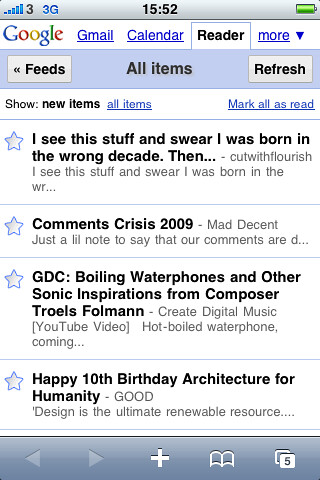
I've always been a big fan of Google Reader for reading blogs both on my computers and my mobile devices. Google created a very nice mobile version of Google Reader for the iPhone's browser a couple of years ago. This is the Google Reader you encounter when you use Android's browser to go to Google Reader. Unfortunately, this version of Google Reader has never worked well with my T-Mobile G1. It always seemed to leave read items marked as unread. As a result, it would refresh and present you with the exact same items that you had already read. This unfortunate bug made Google Reader unusable on the G1. So for reading blogs on the G1 I would use an older version of Google Reader. This version of GReader was nice and fast but it was clearly made for dumb phones and older devices like my old PalmOS Treos and Palm TX.

I decided to try the newer mobile GReader again after my G1 received the over the air update to a new version of Android (yes, this another post about Cupcake). I'm not sure if it was the new OS or if Google just fixed it while I was away but the new GReader works very well on my G1 now. It is fast and it is available from a drop down menu on the web browser's default Google home page. Unlike the older reader which links original posts to a mobile phone optomized page, the newer reader links to the original full post. With a more modern browser like the one in the G1 this is more appropriate and thanks to the Cupcake update it handles full web pages better than ever. So it looks like one longstanding pet peeve I had with my G1 has been fixed.

But another problem may have emerged. While I was waiting on line to play with the Palm Pre this morning, I was playing with my G1 with several web pages open in the browser. I was given a demo model of the Pre to play with and decided to compare the two phone's web browsers. But when I opened up my G1's browser, the only page open was the default Google home page. All the other pages had mysteriously disappeared! This has happened again at least once today and I have no idea why....

Monday, February 23, 2009

TealOS Gives PalmOS Users a Pre Preview

TealOS is a new PalmOS launcher from TealPoint Software which mimics the user interface for the upcoming Palm Pre. I've been playing around with this program on my Palm TX and it is a fairly enjoyable program to use. It also gives people who haven't been lucky enough to be able to play around with an actual Pre—in other words just about anybody who doesn't work for Palm or Sprint and who hasn't been to their Pre preview events—an idea of how the Pre's UI is likely to work under more or less real world conditions.

TealOS looks almost exactly like the Palm Pre smartphone UI as demonstrated by Palm, right down to the flower wallpaper. Like the Pre, it has a quick launch toolbar which by default is mapped to the applications which are typically mapped to PalmOS hard buttons. This makes the quick launch toolbar somewhat redundant but these buttons can be remapped, giving you four extra launch buttons. While this is no big deal on a Treo or a Centro which both have a keyboard in addition to their hard buttons, this is very useful on a Palm TX which only has its four hard buttons. As you launch and switch in between applications, TealOS takes screenshots of them and displays them as "cards" which you can move around and which allow you to quickly switch from one application to another. The cards aren't "live" like the webOS cards on the Pre but they do give you a nice way of keeping track of and organizing your recently used applications. These cards can be "thrown away" with an upwards swipe but I found that this doesn't always work well I'd hope because it requires a fairly vigorous swipe.

But the webOS mimickry doesn't end with there. A fifth button on the quick launch bar also pops up a simple launcher with transparency effects just like on the Palm Pre. TealOS also has the Palm Pre's "Wave" launcher with five remappable buttons which you can bring up in any application. The motion which brings up the wave launcher is surprisingly intuitive and easy to learn. It's even a kind of fun.

On the Palm TX, programs can be launched by either the default PalmOS launcher or through a Favorites application which allows you to create shortcuts to applications or to web links. While TealOS can't create short cuts to web links, a simple utility called Shark Links can. (And quite frankly, the Palm TX's web browser is so primitive that I only used it for Google's excellent mobile RSS Reader even before I upgraded to my T-Mobile G1.) So it's fairly easy for TealOS to take the place of both these programs. And it looks good on the TX's large screen.

While TealOS does a fairly good job of mimicking the Pre's webOS UI, it can't replicate the hardware and it is a bit slow. Some of the graphics are also fairly rough-looking due to the limitations of the PalmOS (the cards don't scale well at all) and older Palm hardware. PalmOS also has no multitasking which limits the usability of its cards. The Palm Pre promises that its cards will always show a live preview of the applications they represent, allowing you for example to monitor a download in your web browser while you manage your e-mail. This is simply impossible to do with the PalmOS.

TealOS works very well as an application launcher and as a preview of Palm's UI for its future devices. Still, I find that the simplicity and speed of McPhling which is just a menu which can be mapped to a hard button or to a swipe across the Graffiti area, makes TealOS less necessary to me. But for people with Pre-envy looking for a nice replacement for the default PalmOS launcher, TealOS is a good fit.

Sunday, December 28, 2008

Google Reader Finally Working Right With G1?

I received a pleasant surprise today with my T-Mobile G1. It was acting flaky and I shut the phone off. I turned it back on and my old browser windows were gone. This is a pretty common problem with the G1. Applications like the web browser and e-mail program tend to forget information that they really should remember; like open web pages or worse yet, e-mail server settings. So when I typed reader.google.com into the browser, it defaulted to Google's iPhone RSS reader. I'd stopped using the iPhone version of Google Reader because it didn't update properly on the G1's browser—instead of marking items read and loading new ones, it would just keep reloading the same items—but this time it was updating properly. While I still like the classic mobile GReader a lot, fixing the iPhone style GReader only makes the G1 more comfortable to use.

Update:

Oops, spoke too soon. The next day, the iPhone Google Reader was back to its old flaky self. Back to the classic mobile GReader. Maybe Google should just make the old GReader the default for the Android browser.

Friday, December 12, 2008

Google Reader Versus The G1

Of all the different Google Apps, my favorite is Google Reader. I haven't found a better application for reading RSS newsfeeds and I can access it from any web browser. I've been using the mobile version of Google Reader for over a year to read blogs on the go on my Palm TX and Treo 680. Now that I have a T-Mobile G1, the phone's web browser defaults to the iPhone version of Google Reader and it behaves rather strangely on my G1. Now when I mark items read in Google Reader, it often just reloads the same items. This annoying and really defeats the purpose of an RSS newsreader. I don't exactly know why this happens, maybe I'm doing something wrong or maybe the Android browser is doing something wrong.

The bottom line is that I've bookmarked the older mobile version of Google Reader and am now using it on the G1. It works better for me anyway since it doesn't launch a new window every time I use it to open a web page. It also allows me to quickly go through each item one at a time instead of repeatedly tapping on items and then refreshing the news feed when they run out. Basically, the iPhone version looks cool but the older mobile reader works faster. One disappointment is that the Android browser can't use the mobile Google Reader's keyboard shortcuts because it assumes that anything you type is part of a web search or that you are entering a URL but I can live with that.

Friday, October 24, 2008

A Conflict Between Google Reader and Firefox?

So I fire up Firefox to read my blogs and what happens? Google Reader comes up as a blank page. I'm not sure exactly why this is the case but I do know that Chrome and Firefox 3.1, Beta 1 are not affected by this problem. Just Firefox 3. This is disappointing as many of my Firefox extensions still haven't been updated to work with the new Firefox Beta.

It's weird and disappointing but on the bright side, the new Firefox Beta is very nice—fast and stable.

Updated: In the end, I just cleared my private data and Google Reader came back. I must have had a corrupted cookie or something.