Showing posts with label Android. Show all posts

Tuesday, March 16, 2010

Maybe the Nexus One Wasn't Supposed to be a Hit

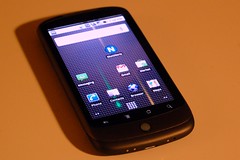
(19/365) Do I miss my iPhone? One week of Goog...Image by spieri_sf via Flickr

There has been quite bit of buzz about the Nexus One and its failure in the marketplace. Google's first branded smartphone has sold only 135,000 units, making it a bona fide flop. But I have to wonder if Google needed or even wanted it to succeed. While the Nexus One was Google's first smartphone, it was hardly a unique product. It was only one of a rather long and always growing line of Android handsets being built by a wide variety of cell phone vendors. In fact, I distinctly recall a lot of grumbling that with the Nexus One, Google was going to be competing directly with its own customers, the companies which had licensed the Android operating system.

And this makes the "failure" of the Nexus One fairly convenient for Google and for its licensees. Now Google can reassure its licensees, "See guys, we're not taking away sales from you!" But despite the lackluster sales, the Nexus One did raise the bar putting powerful hardware into an attractive package which handset makers still have to match. And this was likely the point of the Nexus One all along to let competitors like The Droid get the sales while the Nexus One keeps them honest and nudges them in the direction that Google wants them to go. No more underpowered Android handsets.

This wouldn't be the first time that Google has done something like this, putting out a product that was designed more to nudge rivals than to actually succeed on its own. While Google Chrome is growing in popularity and is now the basis for an ambitious new operating system, Chrome's original purpose seemed to be to assure that Google apps like GMail would run really, really fast. As a result, Chrome was a very fast browser with no extensions, no themes, and other glaring flaws. If the history of Chrome is any indication, I doubt if anyone at Google is losing any sleep over the Nexus One's sales.
Reblog this post [with Zemanta]

Friday, March 5, 2010

Google Reinvents Graffiti

Google has added a new feature to Android which looks a lot like an old feature from another mobile OS. Palm's old PalmOS PDAs had stylus-based input system called "Graffiti" where you would enter characters based on set of predefined pen strokes. It worked very well for years until the emergence of smartphones required Palm and Handspring to adopt keyboards for their devices. Add a long lawsuit by Xerox and Graffiti disappeared into the mists of gadget history.

Sort of. The idea of Graffiti remains popular enough that there is even a version available for iPhones. So it was probably only a matter of time before someone tried to bring it to Google's Android OS. That someone turned out to be Google itself which recently released a Gesture Search application which allows you to run searches by simply drawing letters. This is essentially what you did with the old PalmOS Graffiti.

But Gesture Search is a single standalone application while Graffiti was an essential part of the PalmOS and could be used with every PalmOS application. In fact even after Palm abandoned having a dedicated Graffiti input area for its Treo phones, it was still possible to install an app which would allow you to enter Graffiti strokes directly on the phone's screen.

That has gotten me to think about webOS on my Palm Pre. While there is a virtual keyboard available for webOS, there is nothing like Graffiti or even Gesture Search available for webOS. And that's disappointing because after all, Palm was the company which made this sort of input work in the first place.

And I think that Palm is uniquely suited to make it work again. Palm already has the code to Graffiti and Graffiti II—the successor to Graffiti which Palm introduced in part because of the Xerox lawsuit. And Palm has a its dashboard notification system which would be a convenient place to keep the controls for a Graffiti-style input system. So there really is no reason why Palm couldn't create another version of Graffiti and have it work on the entire operating system.

I used Graffiti for years on Palm PDAs. And I've used smartphone keyboards for years. But I was never really able to get used to using virtual keyboards which is one reason why I never got an iPhone. Now if I could have Palm's old Graffiti writing system back and have it live in my Palm Pre's dashboard, that would be a great alternative to sliding open my Pre when I only have to enter one or two characters.

Official Google Mobile Blog: Search your Android phone with written gestures

Tuesday, February 16, 2010

Phone Angst

People have been obsessing over their phones for a while now but I think that Palm may be taking it to a new level with webOS on its Pre and Pixi phones. Since Palm has committed to a regular upgrade schedule for webOS with big updates coming once a month along with minor updates in between the big ones. All told Palm has put out nine updates for webOS since June 2009 and buzz for the tenth update, webOS 1.4, is growing among its users.

Part of it is just the newness of the platform. Google's Android has been around for well over a year. Apple's iPhone has been around for three years. Palm's webOS has been around for just eight months and is still very much a work in progress. webOS 1.4 is expected to bring among other things support for video recording, a feature which the iPhone and Android phones have had for some time.

But I think that an essential part of all the phone angst that webOS is generating among its users is that Palm has always generated a strange dichotomy of feelings among its user community. The loyalty of the Apple user community is legendary and with the iPhone it has only grown and reached ever more cult-like proportions. Microsoft has its fanboys too but mostly its users tend to show more of a grudging acceptance than actual love. With Palm, the feel of the user community is a lot more complicated. Loyalty tends to mix with anger over perceived wrongs and missed opportunities which make members the Palm user community like one half of a separated couple—still in love but distrustful and bracing for the worst.

My own phone angst is as much a result of the platform's newness as it is to the its rapid pace of development. I jumped on the Pre early on and I love to tweak the hell out of it using Homebrew patches which I load through Preware. And the Preware people have worked hard to keep up with the pace of webOS development. As result, I sometimes have to deal with days when I have to uninstall and reinstall almost all my patches. Today was one such day as the Preware folks in anticipation of webOS 1.4 updated their patches for compatibility with it. As result I found myself staring at a phone which needed to update over forty patches. Luckily the Preware developers have worked hard to make this process as painless as possible and I clicked the "Update All" button and Preware went to work:

Photobucket

Arrrrgh!

I decide to try the "Emergency Patch Recovery" (EPR) utility. This program has been useful to me in the past by allowing me to wipe out all of my phone's patches in one feel swoop rather than having to uninstall them one by one. But first I have to uninstall my phone's theme and do a Luna Restart (a quick restart that Preware can do when you don't need to do complete reboot). So I fire up Preware again and suddenly it only has to update seventeen patches instead of forty. Hmmm, that's new. So I hold off on running EPR and hit the "Update All" button again. So I close Preware and start it again. Now only nine patches need updating. So I hit the "Update All" button yet again. And this time Preware goes through the process without a hitch.

So all's well that ends well. I find a theme that I like, install it, and do a full reboot of my phone so all the updated patches can take effect. The surprising thing was that I did all this over the course of a couple of hours as I was going about my day. Except for the Java restart and the reboot at the end, my Pre remained in use doing other things while I had Preware churning away in the background (Preware takes a long time to load its list of applications and to do updates). It wasn't perfect but it was a much smoother process than what I've experienced in the past with having to update patches one by one. So my phone angst is a little lower at the end of this day...

...and that's a good thing because I'm going to have to do this all over again later this week or the next week when webOS 1.4 comes out.

Tuesday, October 6, 2009

My New Old Phone

Ever since upgrading to my Palm Pre, I haven't had much use for my T-Mobile G1. Sure, I kept it because sometimes it's useful to have a second phone but for the most part my G1 has been semi-retired. But a funny thing happened last week. Google pushed out an update to the G1's Android operating system.

I was pleasantly surprised as a rumor had been going around the interwebs that the G1's hardware was too puny for the latest Android update. More importantly, the update seems to have fixed the G1's number one problem. It has suddenly become a much faster device. It's not as fast as my Pre is on its best days but it's definitely competitive.

This is a pretty exciting development. The G1's problems had soured me on Android but now with its latest update, I'm starting to de-sour.

Monday, June 15, 2009

Applications Give Android An Edge Over webOS For Now

While I love my new Palm Pre there is a huge elephant in the room—actually two elephants, the iPhone and Android. Both of these platforms have large (freakin' huge in the case of the iPhone) catalogs of third-party applications and Android has one which really stands out for me—Google Maps. Google Maps is pretty ubiquitous on mobile phones these days with even cheap dumb phones having a version available to them. But versions vary from phone to phone and the one on the Palm Pre is lovely and easy to use. But on an Android phone like my T-Mobile G1, Google Maps is really special with desktop-like features like Street View integrated into the interface (I think that the iPhone version of Google Maps also has this feature). The Pre's version of Google Maps is comparatively simpler with a sleeker interface but no street view. And in the meantime, Google has just updated the Android version of Google Maps with new features. Every version of Google Maps has driving directions but the new Android version adds public transportation and walking directions—a feature which I love on the desktop. And Google has released it through the Android Market so there is no need to wait months on end for an over the air update as was the case with the Cupcake update.

Google Maps almost makes me want to choose my G1 over the Pre all by itself. Almost. At the end of the day the Pre is still faster than the G1 by a quit a bit and its GPS feels more accurate if for no other reason than because it can get an accurate fix more quickly.

Still, if it were available on faster hardware it would be hard to recommend Palm's webOS over Google's Android at this point. Now that Documents to Go has arrived on Android, editing documents—a traditional strength of Palm devices—is poised to become a strength of Android. A version of Documents to Go for the Palm Pre has been promised but has not arrived yet.

While there is still a lot of promise in webOS for third party applications, without an available Software Development Kit, it's hard for people to actually create them. Right now most webOS development is taking the form of trying to hack the operating system and applications. Worse, it seems that Palm isn't supporting these hackers for fear of offending Sprint. But without an official SDK underground hacking is the only game in town for developers who aren't traditional friends of Palm like MotionApps and Dataviz. The fact that to date there are only thirty applications in the Pre's App Catalog at a time when there are thousands of apps in the Android Market and tens of thousands of apps in the iPhone App Store, only serves to underline how far Palm has to go to catch up the big boys.

Despite some hiccups Palm has done very well in rolling out the Palm Pre and the new webOS which powers it. MotionApps Classic application goes a long way to helping plug the gaps in Palm's App Catalog but it's not enough. Palm needs to put out an offcial SDK now.

Saturday, June 6, 2009

Google Reader Working on Android Browser and the Case of the Disappearing Web Pages

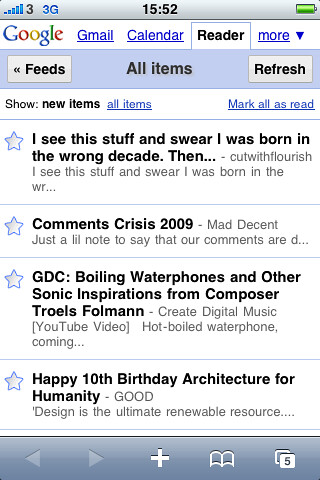
I've always been a big fan of Google Reader for reading blogs both on my computers and my mobile devices. Google created a very nice mobile version of Google Reader for the iPhone's browser a couple of years ago. This is the Google Reader you encounter when you use Android's browser to go to Google Reader. Unfortunately, this version of Google Reader has never worked well with my T-Mobile G1. It always seemed to leave read items marked as unread. As a result, it would refresh and present you with the exact same items that you had already read. This unfortunate bug made Google Reader unusable on the G1. So for reading blogs on the G1 I would use an older version of Google Reader. This version of GReader was nice and fast but it was clearly made for dumb phones and older devices like my old PalmOS Treos and Palm TX.

I decided to try the newer mobile GReader again after my G1 received the over the air update to a new version of Android (yes, this another post about Cupcake). I'm not sure if it was the new OS or if Google just fixed it while I was away but the new GReader works very well on my G1 now. It is fast and it is available from a drop down menu on the web browser's default Google home page. Unlike the older reader which links original posts to a mobile phone optomized page, the newer reader links to the original full post. With a more modern browser like the one in the G1 this is more appropriate and thanks to the Cupcake update it handles full web pages better than ever. So it looks like one longstanding pet peeve I had with my G1 has been fixed.

But another problem may have emerged. While I was waiting on line to play with the Palm Pre this morning, I was playing with my G1 with several web pages open in the browser. I was given a demo model of the Pre to play with and decided to compare the two phone's web browsers. But when I opened up my G1's browser, the only page open was the default Google home page. All the other pages had mysteriously disappeared! This has happened again at least once today and I have no idea why....

Friday, June 5, 2009

Palm Pre Almost Here

I guess a picture is worth a 1000 words. After months of hype, the Palm Pre will finally be released tomorrow and my feelings are mixed. My plan is (was?) to wait six months to a year for an unlocked GSM version. But every time my T-Mobile G1 acts up a bit I wonder if I should make the jump. Even though I love my Android phone, the fact remains that it still hasn't replaced my Palm TX as a PDA—Palm's old PIM software and third party apps are just so easy and familiar that it's hard to find Android apps to truly replace them. The Pre as Palm's latest and greatest could be the device I've been waiting for; it promises to be even more web savvy than my G1 and the Classic emulator would allow me to run my old PalmOS applications, the best of both worlds. And it promises to be compatible with iTunes which would give me a nice, big screen for those movies I carry on my iPod but never watch because its screen is too small....

While I'm eager to hold the Pre in my hands and actually play with it, I'm dreading the prospect of actually going through another upgrade. And then there's the prospect of switching carriers. I'm pretty happy with T-Mobile. They have good coverage and good 3G service here in Chicago. Sprint on the other hand had very bad coverage a few years ago and I have no idea if they've improved. For me Sprint really is the chink in the Palm Pre's armor.

I'll probably stick to my plan for now. I'll go and check the Pre out but I'm not planning to buy it. My G1 is very good for now and I'm still discovering new features since the Cupcake update.

Cupcake's New Bookmarks and Some Complaints

I just wanted to write up a quick post pointing out that the updated browser in the Cupcake Android for the T-Mobile G1 has one noteworthy improvement (besides enabling copy and paste). The Bookmarks menu now has three tabs and includes a list of Most Visited websites and a History tab. Before the update, History was a seperate menu item. Now it has been folded into the Bookmarks menu and is organized with submenus for items from "Yesterday," "5 days ago," "1 month ago," and "Before 1 month ago." Each website has a handy star which you can tap to turn it into a Bookmark. The Most Visited tab has these stars as well. This is a very welcome improvement over the old Bookmarks and History menu items.


The GMail application has also been subtly improved with little checkmarks that allow you to select multiple items for tasks like deleting spam. Unfortunately, GMail is actually a bit slower now than it was before the update. In fact despite Cupcake's improvments, my G1 phone is still relatively slow at times. It's not overwhelmingly slow but does slow down nevertheless. 

Another disappointment? Twidget, the little widget for displaying Twitter updates. I really like this little widget at first but after about 24 hours it started crashing repeatedly and I had to uninstall it. This is a shame, I hope it gets fixed soon because it was a nice little app.

Thursday, June 4, 2009

Cupcake's Camera and Widget Improvements

After a few days with the Cupcake update, I'm still discovering new things on my T-Mobile G1. The camera software for example has improved a bit. It hasn't crashed on me since the update which is a good thing considering how unstable it was before. It has also improved the interface by adding a camera icon which acts as a shutter switch for taking pictures. As with the physical camera button, I've found that holding until the camera snaps gives better results than just tapping it since it compensates for the G1's slow shutter speed.

A second icon shows a thumbnail of the most recent picture which has been taken with the camera. Tapping on it leads to a full screen picture overlaid with icons for managing pictures. In other words, it's a simple picture viewer. You can flip through pictures, enlarge them, set them as wallpaper or contact icons, share, and delete them. Menu options include rotation and cropping. Some of these options were already available in the original camera app but they are now better organized and easier to use.


One thing that wasn't available before was the Camcorder application which is exactly what the name implies—a video recording app. I haven't had chance to play around with it but it's nice to know it's there.

I also noticed that the naming convention for pictures taken by the camera has changed. Instead of naming each picture with string of numbers that begins with "124" on my phone, it now names them with a number that is made up of the date and time (down to the second) on the picture was taken.


Another addition that Cupcake brings to Android is better support for widgets that sit on your desktop. As a result, there is finally something interesting besides clocks and search boxes to put on the desktop. I find that the Weather Channel and Twidget Lite (for Twitter) widgets are nice for at a glance information. Of course these widgets do take up a lot of space. It's a good thing Android has a three screen desktop.

Another Day, Another Netbook Wants to Run Android


Engadget has a mock up of a proposed future Android powered netbook. It looks beautiful but it is completely non-functional at this point. If they manage to pack the power this netbook claims (a TI OMAP3 processor running at up to 1GHz, 512MB of RAM, a 2.5 hard drive or SSD, and an 8.1 inch screen) in a tiny 1.76 pound package at a reasonable price, it will be compelling product even if Android isn't up to snuff. It's a good bet that five minutes after this machine comes out that someone will try to intall Ubuntu or Windows on it. Still, this machine is so early in the planning stages that it is unlikely to come out any time soon—if it comes out at all.

Saturday, May 30, 2009

Finally Got Cupcake

T-Mobile G1 (HTC Dream)Image by Aaronage via Flickr

My T-Mobile G1 finally got the over the air update from T-Mobile about an hour ago today. The changes are subtle but welcome, prettier icons and refined colors which nice use of shading and 3D effects—particularly in the notification and launcher drawers. The locked screen now displays the usual carrier, time, and date information on top of your wallpaper instead of over a black background. In the phone application, the Call log, Contacts, and Favorites items look a little better and are slightly better organized. Adding and editing contacts has always been fairly clunky on the G1 and the Edit dialog box addresses this problem by adding plus and minus buttons which allow you to quickly add and remove information which was previously buried under sub-menus.

The most noticeable additions would seem to be the virtual keyboard and voice search. The virtual keyboard works about as well as you would expect, which is to say not particularly well but it's nice to have it for quickly entering a few characters without opening the G1's physical keyboard. Voice search has mixed results at best, a search for "palm pre" was interpreted as "palm tree" and "cancrete" while searches for "t-mobile" and "sprint" were interpreted correctly.

One nice improvement is the improved use of the G1's accelerometer. Before, the only way to get the G1 to switch from portrait to landscape mode was by opening the keyboard. The web browser also had a menu item for switching the orientation. Now, with Cupcake, there is a global system setting which allows the G1 to flip its screen orientation automatically in most applications when you physically rotate the phone. This is great for the web browser but does not work with the desktop or the dialer (it does however work when editing contacts). While the automatic orientation switching is a fraction of a second slower than opening the keyboard, it is far more convenient.

It's still too soon to say if this new system software makes the G1 any faster or more stable but the improvements it brings are definitely welcome and make the T-Mobile G1 a better phone.

Update: I just discovered another great feature brought by the Cupcake update. The browser has now enabled copy and paste. Hit the "Menu" key and select "More." Then tap on "Select text." Highlight the text you want to copy and it will automatically be copied to the clipboard. Outstanding!
Reblog this post [with Zemanta]

Twitter

robertocastillo's shared items

My Blog List