Showing posts with label google. Show all posts

Saturday, May 21, 2011

Firefox Aurora and its New Multi-channel Approach

With its 5.0 Beta, Firefox has debuted a new feature designed to speed up its own development to counter Google Chrome's rapid release schedule. With it's new Aurora release Firefox allows users to easily switch between three different channels: Development which is the normal version of the software, Beta which includes new features which are still being tested; and Aurora which is the latest nightly build of Firefox which can be expected to be unstable but also full of interesting new features.

It's all credibly slick and cool. Just select About Firefox in the Help Menu which tells you your channel and click Change to select a new channel. You select your new channel and click on Apply and Update and Firefox installs a new version of itself and restarts.
But I have to wonder if this is the right approach for Firefox. As slick as Firefox's channel switcher is, I prefer Chrome's approach of having separate installs of the browser for different channels. With Chrome's Canary Build, you can have your cake and eat it too. One safe, always up to date browser and another separate browser with cutting edge, experimental technology which will occasionally crash. And one can have dozens of pages open in tabs and another can open to just one or to your start page.

Aurora on the by contrast feels like an all or nothing proposition. You can switch between channels easily within one install of the browser but what happens if the latest nightly Aurora build is unstable? Will there be a way to switch to a more stable channel without bringing up the About Firefox box? I hope so.

And I think that Firefox with its more powerful extensions can benefit even more by having two separate browser installations. It is fairly common for early Betas of Firefox to be incompatible with many extensions. Having a "stable" installation of Firefox with all your favorite extensions and a second "experimental" installation which runs alongside it would probably be something that most Firefox users would enjoy.

While I realize that I could probably set this up myself using Firefox's Profile Manager, that tool is on its way out. And in any case it's probably overkill for most users. It would be much easier to have a check box that says "Maintain Separate Aurora Installation" or something like that in the About Firefox box.

Monday, June 7, 2010

Like Chrome But Hate Google? Iron Can Help.

I've always been a big fan of Google's Chrome web browser but these days a lot of people are worried about Google's growing power and its implications for their privacy. But Chrome is so fast! And it's so much better than other browsers! It's something of a conundrum.

Enter Iron. Iron is a new web browser based on the same Chromium code which Chrome uses. As a result, Iron lacks some features like Google Update and address bar suggestions which most people love but which others deem to be a privacy risk. Iron's creators have gone even further and have removed Chrome functions like the Client-ID and error reporting and more. The point is to eliminate all behind the scenes contact between Google and your web browser. While this might seem a little paranoid to some, to others it might be just what the privacy doctor ordered.

Friday, May 7, 2010

Yahoo Thinks it's Still 1998

Gizmodo posted recent Yahoo ad where they take aim at Google: Yahoo Bitch Slaps Google In $85 Million Ad Campaign - Yahoo vs google - Gizmodo. I found the ad to be very striking but perhaps not in a way that bodes well for Yahoo. The thing that struck me was how retro it felt. Yahoo is basically promoting itself as a "web portal" even if the words never appear in their commercial. And for good reason, web portals were wiped out in the early 2000s by the bursting of the Dotcom bubble and by a new search engine called "Google."

Portals were all the rage in the mid to late 90s. They were huge, bloated pages that expected you to slog through tons of ads and links just to type in a few search terms. The result was huge, slow loading home pages at a time when most people still connected to the Internet through relatively slow dial-up modems. But they had "everything you need in one place"—never mind that if all you want is one thing, you'll have to wait for everything else to load and put up with numerous distractions.

And now Yahoo is for all intents and purposes trying to bring the concept back. The truth is that they never really abandoned the concept. When Yahoo started out it was more of a directory of websites than a real search engine. And they've stayed true to that concept even as the rest of the Internet abandoned it.

The bottom line is which page looks cleaner and easier to use?

This one?


Or this one?


Good luck Yahoo. I hope this turns out better for you than it did for these guys.

Tuesday, March 16, 2010

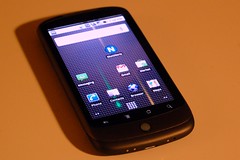
Maybe the Nexus One Wasn't Supposed to be a Hit

(19/365) Do I miss my iPhone? One week of Goog...Image by spieri_sf via Flickr

There has been quite bit of buzz about the Nexus One and its failure in the marketplace. Google's first branded smartphone has sold only 135,000 units, making it a bona fide flop. But I have to wonder if Google needed or even wanted it to succeed. While the Nexus One was Google's first smartphone, it was hardly a unique product. It was only one of a rather long and always growing line of Android handsets being built by a wide variety of cell phone vendors. In fact, I distinctly recall a lot of grumbling that with the Nexus One, Google was going to be competing directly with its own customers, the companies which had licensed the Android operating system.

And this makes the "failure" of the Nexus One fairly convenient for Google and for its licensees. Now Google can reassure its licensees, "See guys, we're not taking away sales from you!" But despite the lackluster sales, the Nexus One did raise the bar putting powerful hardware into an attractive package which handset makers still have to match. And this was likely the point of the Nexus One all along to let competitors like The Droid get the sales while the Nexus One keeps them honest and nudges them in the direction that Google wants them to go. No more underpowered Android handsets.

This wouldn't be the first time that Google has done something like this, putting out a product that was designed more to nudge rivals than to actually succeed on its own. While Google Chrome is growing in popularity and is now the basis for an ambitious new operating system, Chrome's original purpose seemed to be to assure that Google apps like GMail would run really, really fast. As a result, Chrome was a very fast browser with no extensions, no themes, and other glaring flaws. If the history of Chrome is any indication, I doubt if anyone at Google is losing any sleep over the Nexus One's sales.
Reblog this post [with Zemanta]

Friday, March 5, 2010

Google Reinvents Graffiti

Google has added a new feature to Android which looks a lot like an old feature from another mobile OS. Palm's old PalmOS PDAs had stylus-based input system called "Graffiti" where you would enter characters based on set of predefined pen strokes. It worked very well for years until the emergence of smartphones required Palm and Handspring to adopt keyboards for their devices. Add a long lawsuit by Xerox and Graffiti disappeared into the mists of gadget history.

Sort of. The idea of Graffiti remains popular enough that there is even a version available for iPhones. So it was probably only a matter of time before someone tried to bring it to Google's Android OS. That someone turned out to be Google itself which recently released a Gesture Search application which allows you to run searches by simply drawing letters. This is essentially what you did with the old PalmOS Graffiti.

But Gesture Search is a single standalone application while Graffiti was an essential part of the PalmOS and could be used with every PalmOS application. In fact even after Palm abandoned having a dedicated Graffiti input area for its Treo phones, it was still possible to install an app which would allow you to enter Graffiti strokes directly on the phone's screen.

That has gotten me to think about webOS on my Palm Pre. While there is a virtual keyboard available for webOS, there is nothing like Graffiti or even Gesture Search available for webOS. And that's disappointing because after all, Palm was the company which made this sort of input work in the first place.

And I think that Palm is uniquely suited to make it work again. Palm already has the code to Graffiti and Graffiti II—the successor to Graffiti which Palm introduced in part because of the Xerox lawsuit. And Palm has a its dashboard notification system which would be a convenient place to keep the controls for a Graffiti-style input system. So there really is no reason why Palm couldn't create another version of Graffiti and have it work on the entire operating system.

I used Graffiti for years on Palm PDAs. And I've used smartphone keyboards for years. But I was never really able to get used to using virtual keyboards which is one reason why I never got an iPhone. Now if I could have Palm's old Graffiti writing system back and have it live in my Palm Pre's dashboard, that would be a great alternative to sliding open my Pre when I only have to enter one or two characters.

Official Google Mobile Blog: Search your Android phone with written gestures

Tuesday, October 6, 2009

My New Old Phone

Ever since upgrading to my Palm Pre, I haven't had much use for my T-Mobile G1. Sure, I kept it because sometimes it's useful to have a second phone but for the most part my G1 has been semi-retired. But a funny thing happened last week. Google pushed out an update to the G1's Android operating system.

I was pleasantly surprised as a rumor had been going around the interwebs that the G1's hardware was too puny for the latest Android update. More importantly, the update seems to have fixed the G1's number one problem. It has suddenly become a much faster device. It's not as fast as my Pre is on its best days but it's definitely competitive.

This is a pretty exciting development. The G1's problems had soured me on Android but now with its latest update, I'm starting to de-sour.

Thursday, July 16, 2009

The Coming Age of Paid News

?fh=dd71e0c771519c6269c9a68b63fe1c9fI haven't bought a real, physical newspaper in years. And yet I read online versions of newspapers aggregated through Google every day. And this Doonesbury cartoon does a pretty good job of encapsulating the results of an entire society doing the same thing. And certainly there is a lot of breast beating by journalists about the way that Google and Yahoo supposedly steal food from their mouths by posting links to their content. But the plight of newspapers is bigger than Google News, Google Reader, and bloggers posting links to their content. Linking to online newspaper articles drives readers to newspaper websites and generates at least some ad revenue. There is also an elephant in the room that the newspapers don't like to talk about when they talk about search engines and blogs linking to their content. Newspapers also make a lot of money off of classified ads. Or at least they used to. With Craigslist stealing the classified ad business which newspapers used to own, things start getting grim.

And forcing Google, Yahoo, or even bloggers to pay for linking to news websites sounds like a pretty good way for newspapers to cut off their nose to spite their face. (On a personal note, I actually had to look up that saying before I wrote it down, my original mangled version of that idiom was much more disturbing.) It doesn't bring back the classified ads revenue and it sets up a dynamic not unlike the one that currently exists with the music industry which is currently alienating an entire generation of its fans by suing people willy-nilly.

So what is the answer? At the moment there is none but there is certainly a lot of experimentation going around. Plenty of journalists have been pushed out of old media like newspapers, radio, and television and found a home on the web as bloggers. And some of the bigger blogging sites like Huffington Post and The Daily Beast are growing larger and have the resources to act more like traditional newspapers. (He writes having rarely if ever visited either website.) It's possible that big professional blogs will eventually replace traditional newspapers altogether. It's also entirely possible that in the future newspapers will go completely online and will rely on either contributions or on some sort of micro-payment system which is reasonable and convenient enough that people are actually willing to pay it. This is pretty much what is happening now with iTunes and the Amazon MP3 store. While most teens still won't pay for music, older people are perfectly willing to trade a few dollars for the convenience of being able to download music from one reliable place at a low price. Or maybe the future of news looks more like TV and radio, multiple shows and channels all supported by advertising. I just hope that they don't overdo it.

Moreover devices like Amazon's Kindle promise to open up a whole new market for bloggers as they allow people to carry thousands of books and subscribe to hundreds of newspapers (which are updated every day), all in a relatively compact device. Of course these days tiny laptops are almost as compact and software similar to that of the Kindle's can be programmed for them. But laptops are real computers and their software can be hacked to remove the DRM software which controls what can and cannot be loaded onto the Kindle. The Kindle by contrast is completely "safe" from such shenanigans. This is why I think that in the end the newspapers' problems are more about control than they are about money. A big newspaper like the New York Times could potentially save a lot of money right now if they just gave all of their subscribers a Kindle but they will likely resist the move lest a user hack their device to read for free. So instead everybody reads for free.

As a post-script to these meandering thoughts I'd like to point out that many of the bigger newspaper bankruptcies have happened in part because they were mismanaged into the ground. And we certainly don't reward financial mismanagement in this country. OK, so we do; but the newspapers aren't too big to fail. Maybe the newspapers (and the mainstream media in general) need to ask themselves if they deserve to survive at all. While they are good at reporting body counts for the was Iraq, they did piss poor job of considering arguments that might have kept out of that war. Similarly, they've proven very good at detailing gory details of our economic crisis but did little to warn us that it was coming. And those who tried to warn us were generally laughed at. (I realize that the last link was a to a clip from CNBC, a cable TV network but radio and newspapers were every bit the enthusiastic cheerleaders to our exuberant economy which crashed so embarrassingly with every talking head on TV telling us that we had no way of knowing what was coming.)

Thursday, June 4, 2009

Google Squared—An Internet Search Spreadsheet?

Lifehacker reports on a new experimental Google feature called Google Squared. They compare it to Wolfram Alpha but Wolfram Alpha is more of a mathematical information engine than a real search engine and Google Squared is more of a comparison engine. In fact, Google's demo video shows a comparison between hybrid cars. I couldn't help but think about Google Shopping which also allows you to make comparisons, in this case between products. Google Squared may eventually evolve into a complement to Google Shopping by allowing people to narrow down their choices before looking for the best price on a final product. 

Trying various searches was an interesting exercise. Google's suggested use, comparing hybrid cars is a pretty good one of Google Squared's potential as it finds a wide variety of cars and allows you tweak the search nicely, easily finding prices, fuel economy (MPG) ratings, and hybrid models that don't appear on the grid at first. Searching for a less environmentally correct type of car yields decent but clearly inferior results. (At one point, Google Squared actually displayed an MPG rating of 100 MPG for a Hummer H3 thanks to this blog post. A pop up list of possible alternative values which were labeled as "low conficence" lead to this Wikipedia page which displays fuel economy ratings for American cars which I would have thought would be regarded as fairly accurate considering how heavily Google Squared relies on Wikipedia for its information.) Similarly, a search for Atom powered netbooks yields decent results but has trouble finding prices for them.

I thought that Google Squared might be good for comparing politicians based on their stances on issues but that didn't work out quite so well. Searching for "Illinois congressmen," Google accurately found and displayed information about current and former Illinois congress people. But trying to add information on their stances on an issue such as a abortion or immigration yielded no information. Similarly searching for a specific piece of legislation like the Employee Free Choice Act yielded no information. Searching by that bill's ID number (H.R. 1409) in the House database also yielded no results even though putting that number into Google normal search box finds it immediately. Curiously, inputting the word "liberal" does yield rankings for some of them based on a Wikipedia article on RINOs (Republicans who are considered "Republican in name only" because they not conservative enough for the party "base").

For all its flaws, Google Squared shows great potential as a comparison tool. It's no alternative to Wolfram Alpha (which is still in its infancy and defies easy categorization). But Lifehacker also compared it to a spreadsheet and on this they are spot on. Google Squared is just begging to be integrated into Google Docs and might even be better off being absorbed into them as an analysis tool.

Spam Recipes In My Email?


I'm used to getting spam. What I'm not used to is getting spam recipes. That's what GMail has been doing just now. I opened my GMail Inbox and clicked on the Spam folder to clear out my spam. Suddenly, the tiny ad link next to the Inbox turned into a link to a recipe for a "Creamy Spam Broccoli Casserole."

It happened a little later as well. I opened my browser again. GMail was already loaded in a tab and opened my Inbox automatically. I had no new email but two messages in my Spam folder, so I clicked on it. Suddenly, the ad changed again, this time to an ad for "Spam Imperial Tortilla Sandwiches" which actually looks like it might be pretty good.

Now that's a pretty curious glitch in Google's ad algorithm that I've never noticed before. Google thinks that you are looking for spam recipes when you go to clear your Spam folder. I have to wonder how many times this happened before I noticed it and how often it happens to other people.

Thursday, May 28, 2009

Android 1.5 Finally Comes to T-Mobile

Crunchgear reports that T-Mobile is rolling out version 1.5 ("Cupcake") of the Android operating system over the air to their G1 handsets. If there's an air of anger and desperation in the post, it's because T-Mobile has repeatedly delayed this update for so long that more adventurous types have been installing this eagerly awaited update by hand. Since Cupcake is supposed to bring a whole host of improvements including a virtual keyboard and numerous bug fixes, this is great news.

Sunday, May 24, 2009

New Extension Puts Wolfram Alpha's Peanut Butter in Google's Chocolate

Lifehacker links to an experimental Firefox extension which inserts answers from Wolfram Alpha into your Google searches. While Wolfram Alpha hasn't exactly set the Internet on fire, it does provide an interesting results when your questions have a mathematical slant. Because of this, Wolfram Alpha is less an alternative to an Internet search engine and more of a complement. That's the beauty of this extension. This add-on makes the Google page a bit too wide for my netbook's small screen but it should look nice on PCs with higher resolution screens. It should make a good addition to your search arsenal.

Saturday, May 23, 2009

Google Chrome Hits Version 2.0, Sweet Spot

Engadget reports that Google's Chrome browser has hit version 2.0 and gives an overview of the new features. They seem especially excited by Chrome's new ability to allow users to remove embarrassing websites from the New Tab page. This doesn't seem like such a big deal to me—maybe I have no sense of shame.

I'm more excited by the new Full Screen mode. A lot of people think that Chrome with its speed and compact user interface is ideal for netbooks. I've always prefered Firefox on my netbook because of its full screen modes which hides the browser UI altogether, showing you just the web page. Chrome's implentation of Full Screen mode is not perfect. On Firefox I can hit the <ctrl>+l key to bring up Firefox's navigation bar to type URLs, search, and access the navigation buttons. Under Chrome however <ctrl>+l doesn't work in full screen mode. While this is disappointing, Chrome does still show the URLs of links when you move your mouse over them in full screen. Firefox on the other hand does not show URLs in full screen mode. I consider this to be an equitable trade.

Finally, Chrome's speed—it launches instantaneously on my Acer netbook—continues to trump Firefox by a wide margin. While I still prefer Firefox on my bigger, faster, not quite so mobile computers for it's tremendous variety of extensions, Chrome has hit the sweet spot for me in terms of usability and speed. It has earned a place as the default browser on my netbook.

Monday, May 18, 2009

Wolfram Alpha—For Times When Google Isn't Nerdy Enough

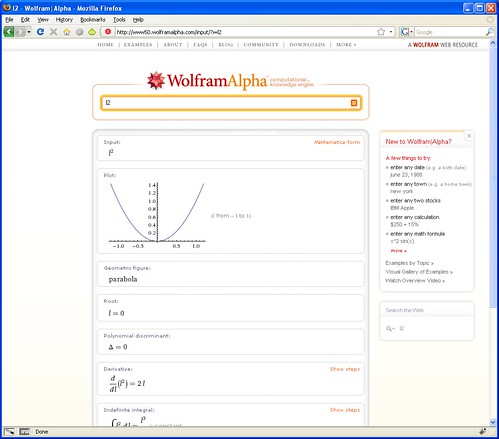
There has been some talk about a new search engine called Wolfram Alpha. Well, the search engine with the name of a Joss Whedon villain is finally public and it puts a decidedly different spin on Internet search than Google. Whereas Google will return a list of links for your search query, Wolfram Alpha treats it as a question and tries to supply answers to it. "Big deal," you say. "Ask Jeeves did that years ago and it sucked." Actually, Wolfram Alpha is very different in the way it supplies answers. Wolfram Alpha takes a strong mathematical/analytical bent. A quick query of this search engine using my birthdate tells me that among other things, I was born on a Saturday and that the moon was in a waxing gibbous phase. I also told that Bradley Schlozman, a politician whom I've never heard of and that Brian Stepanek, an actor whose name I find vaguely familiar share my birthdate.

Searching Google for the same date told me no such thing. For one thing, Google doesn't seem to recognize my dirthdate as a date. Instead it returns a lot of links of documents which have the numbers in my birthdate but don't necessarily correspond to that specific date. It also shows a Google Calculator equation showing that my birthdate adds up to -71. On the other hand typing the word "Buffy" into Wolfram Alpha returns nothing while Google returns numerous links full of information relating to Buffy: The Vampire Slayer. In a similar vein, putting the word "pants" into Wolfram Alpha just returns a definition and some interesting ways to display synonyms for that word while Google returns numerous links ranging from where to buy pants to pictures of pants. It begins with a Wikipedia article on the history of trousers and includes a link to something called "No Pants Day" which encourages people to not wear pants on the first Friday of May.

Moving on to more mathematical ground which is supposed to be Wolfram Alpha's strength has more interesting results that show off the relative strengths of both search engines. A search query for "2000 census" on Wolfram Alpha shows some nice graphs and tables of world population data. On Google, the results are more U.S. centric beginning with U.S. government's census website. It also includes a huge list of links to census data from various sources.

While it seems impossible for Wolfram Alpha to match the richness of Google's results, this new search engine seems more interested in finding a niche of providing quick answers to specific mathematical questions. While Google wants to rule the world, Wolfram Alpha has set its sights on a small group of nerdy researchers.

Sunday, April 5, 2009

From Seinfeld to Lauren to Giampaolo—The Irony to Microsoft's Madness


Microsoft has a new ad out. It follows the same pattern as the recent ad with "Lauren," the woman who decides she's not "cool enough to own a Mac" and opts for a cheaper, more sensible PC. It also includes the "I'm a PC" tag line which Microsoft has proudly adopted for its users of all ages. The current ad continues a campaign which began bizarrely enough with Jerry Seinfeld and Bill Gates in a shoe store. Throughout the campaign, one point has remained constant—Apple is elitist and Microsoft is the computer for the "common man." Like a shoe bought at a discount shoe store, Windows is familiar and sort of comfortable and much, much cheaper than those hip Macintoshes with their fancy tassels and candy colored user interface.

I hadn't picked up on this message at first until last November's election when I was being bombarded by this message not by Microsoft but by John McCain who thought he could become president by branding Barak Obama as an elitist. Things didn't quite work out that way and I doubt that things will work out much better for Microsoft. If anything, it makes Microsoft look desperate for attention. This is ironic since despite Apple's growing popularity, Microsoft still dominates the personal computer market. But it's no longer as relevant as it used to be. As smartphones and web applications become more popular, people don't necessarily need to use a PC or a Mac to do many of the tasks that were once only possible with a personal computer. And even when these tasks are done on a personal computer the computer's operating system, the object of all these ads and counter ads, suddenly matters a lot less because of web apps which run in your web browser which itself does not need to be tied to specific operating system. That is the other irony, as Apple and Microsoft bicker over which computer you should buy, they do so from a position of weakness because Google is quietly (when was the last time you saw a TV commercial for Google?) usurping their place in terms of power and influence. It's as if in the last election after hearing Obama and McCain talk for months we'd all gone to the polls and elected Ron Paul president. It seems that advertising, like politics, is more about creating perceptions than it is about facts. This is shocking, I know.

Things get worse for Microsoft as its ads are essentially telling users that software doesn't matter, that style doesn't matter. The only thing that matters according to Microsoft's ads is price. So what if a Mac Mini can easily be hooked up to your HDTV and fits perfectly into your home entertainment center? An eMachines mini-tower is cheaper, surely the money you save is worth the extra effort of setting it up as a Home Theater PC, you can probably hide it in a cabinet or something. So what if a MacBook Air is thin and beautiful, netbooks are tiny and cost a third the price. Sure they're a lot less capable but for the price of a MacBook Air, you can buy three netbooks!

This is the final irony. Microsoft is not the cheapest game in town. While people like to complain about the "Apple Tax" which comes with every Macintosh, there is also a smaller but still significant Microsoft Tax which comes with every Windows PC. Linux distributions like Ubuntu are almost easy enough to use for most people and are getting better all the time. And they are free. Who cares if Ubuntu has a bland, mostly brown, color scheme with ugly fonts? It's free! Who cares, if that new HP computer comes in pretty colors? If you're smart and reasonably handy, you can just buy the parts, stick them in a generic case, throw Linux on it, and save yourself a few bucks!

By highlighting one virtue, price, Microsoft may be inadvertently preparing its users to eventually abandon it. Surely there are other virtues that Microsoft can extol. I've used Windows PCs for most of my adult life and it wasn't because entirely because of their price. I've used Windows for years because it was easy to use, well organized, because it has thousands of applications (and is backwards compatible with thousands of older applications) available for it. Those seem like pretty good reasons to prefer Windows over Mac OSX. Of course, I can also run Windows on a Macintosh fairly easily. In the past this was difficult and slow but nowadays it's easy and fast because the truth is that when you crack them open, a Windows PC and a Macintosh are basically the same machine. They both run on Intel processors and surround them with the same basic set of components. That is the zeroeth irony, one that is so obvious that it should have come before all of the others. At one time, PCs and Macintoshes were built around completely different architectures. But now, they are nearly identical except for the software that runs on top of them. At time when the PC versus Mac debate has become more heated than ever, it has become more irrelevant than ever.

Friday, February 20, 2009

Paid Applications Come To Android

A number of blogs have commented that Google's Android Market has added support for paid applications. While having the honor of paying for software on yet another platform might seem dubious at first, it does potentially open the door for more sophisticated applications which require more work than a hobbyist software developer is willing to do.

A case in point is Quickoffice, a new application for managing and viewing Microsoft Office applications on Android. Quickoffice has traditionally been something of an also ran piece of software on other mobile platforms. When I used Treo smartphones, Quickoffice was the MS Office compatible software suite that was not Dataviz's Documents To Go, the application Palm has bundled with just about every Treo it has ever built. And while Docs To Go wasn't perfect, it was slow and Dataviz tended to nickle and dime users—frequently charging high prices for relatively small upgrades, it was good enough that I didn't bother to check out competing products.

Now Quickoffice is the first Office compatible application out for the Android platform. And it comes at a very reasonable price, $7.99—a fraction of what it costs on other software platforms. It seems likely that Quickoffice for Android was probably rushed in an attempt to be the first Office application on Android. It is read only, you can't use Quickoffice to edit documents yet and it still doesn't support Powerpoint. And it wasn't able to open all of my of Word documents (but the ones it did open displayed properly).

But the point is that it is out and it is out first before any other competing application. It is also cheap and the Android Market makes it scarily easy to buy. I just tapped on the "Buy" button and because I've used Google Checkout before Google already had my credit card information. All I had to do was check the disclaimer that says, "I have read and agree with Google Checkout's terms of service blah, blah, blah" and confirm my purchase and Quickoffice started to download and was installed on my T-Mobile G1 in seconds. Like I said before, scary.(Incidentally, when you check the disclaimer, the Android browser actually launches and displays Google Checkout's terms of service. I suspect that most people don't even read the terms of service on when they pay for something online so Google is being quite responsible here.) So Quickoffice has a nice temporary advantage. A lot of people will want to use the keyboard on the T-Mobile G1 to edit Word and Excel files and right now they are (or rather they will be once Quickoffice is capable of editing documents) the only solution for this problem. And since Quickoffice is also capable of reading text documents, it might turn into a fair e-book reader if the developer is interested in moving in that direction.

Now that I've had my T-Mobile G1 for a number of months, I'm starting to look at other phones that I might move to in the future. I'm especially interested in the Palm Pre. I used a Palm or Handspring Treo as my phone for almost a decade and would be very interested in returning to that platform if it lives up to the hype that it is currently generating. But Android's growth and improvements make me think that I might stick with my G1 for longer than I thought....

Friday, January 2, 2009

Chromium: For Those Who Like Their Chrome With Less Google

While Google's Chrome browser is a very nice, fast web browser some people are uneasy about the amount of power that Google has over your web experience. Enter Chromium, a web browser which is based on same Chromium source code which Google uses for Chrome but omits the Google Update program. This may help quell the fear that some people might have about Google while allowing them to enjoy Chrome's features.

Thursday, November 13, 2008

Chrome: Is This Your Father's Web Browser?

A couple of months ago I set up a computer for an older couple who had never used a computer before. It was an old laptop with busted hinge but it was in otherwise good condition and it was an easy matter of setting it up with an external monitor and wireless keyboard and mouse. Neither of them knew much about computers and they just wanted it for e-mail and web browsing—the same as most computer users these days.

When it came time to choose a web browser for the computer I wanted to steer them away from Internet Explorer. Besides being slow and bloated, IE is a magnet for hackers if for no other reason than the fact that it is installed on the vast majority of computers. So I installed Opera on the computer.

It seemed like a good choice at the time, Opera is small and fast—perfect for an old computer with only 512MB of RAM. Unfortunately, Yahoo! Mail didn't cooperate. Several days after setting up the computer, I began receiving calls about the a problem between Yahoo Mail and Opera. For some reason it kept redirecting Opera from its Inbox to the log-on page. I never figured out exactly why this was happening. So I installed Chrome—Google's then new browser—on the computer and the older couple has been happily using it for e-mail and web browsing ever since.

Chrome hasn't made much noise since the week when it was launched. A lot of geeks (myself included) downloaded it, complained about a lack of features and possible privacy problems, and quickly went back to Firefox. But from my perspective setting up computers for people—many of them older—who really know nothing about computers and don't care about cookie handling or security.

For these people, Chrome's shortcomings suddenly turn into strengths. Chrome was designed from the ground up to run javascript so temperamental web applications like Yahoo! Mail are more likely to run properly on it. Chrome runs in the background quietly updating itself through Google's Updater application even when it is supposed to be "closed." While more tech-savvy and paranoid people see this as a potential privacy risk, for people who neither know nor care about security or privacy issues, this is an invaluable feature since their web browser always has the latest updates and patches. While there is no way to control how javascript and cookies behave on a site by site basis, people who lack computer savvy won't know how to use these features anyway, so for them relying on Google to handle these potential threats makes sense. It all comes down to how much you trust Google—maybe you and I don't always trust Google but most people don't care one way of they other. For them Google's web browser is just another program that they run on their computer.

So for confused newbies, Chrome's lack of features and minimalist interface are an advantage. Ironically enough, Chrome's name comes from the term used by web developers for the buttons, menus, and other widgets that constitute the browser's interface. But Chrome has very little "chrome" compared to other web browsers; just front, back, and reload buttons, a combination address/search bar, and a couple of hidden menus which are easy to ignore. It even tucks its tabs into its title bar which further reduces clutter. And while Google has talked about producing add-ons for Chrome, there are currently none available. There are no toolbars or extensions for Chrome. But then again, too many extensions can slow Firefox down and toolbars are frequently more trouble than they are worth for Internet Explorer users.

So if you are a tech-savvy nerd who has been wondering what Google was thinking when they put out Chrome, maybe they were thinking about your mom and dad.

Sunday, November 9, 2008

Googling Usenet

This is the sort of post which I must admit is basically just something I'm writing down so I won't forget about it. It's so nice that blogging allows me to treat the Internet as my own personal napkin.

If there is one program that I use more than any other on my computer, it's Agent. Well, I probably use a web browser, any web browser more than anything else just like everyone else. But after a web browser, I use Agent for both e-mail and for reading Usenet newsgroups. Now Agent is a pretty complex program and it has many little tricks which many people never use because they don't realize that it can do them.

One such trick is the ability to launch your web browser and retrieve a Usenet post from Google's Usenet archive. This can be useful for older topics where you want to see the whole discussion as it happened.

Setting it up is a five step process:

  1. Under the Tools | Options menu item choose URL and MIME Settings | URL Types and select news:Usenet News as your URL type.

  2. Check the following items:

    • Enable highlighting and launching

    • Remove URL prefix when launching

    • Use custom settings (below)

  3. Click Browse and point Agent to your web browser. Not every web browser works nicely with Agent to launch itself and go exactly where Agent tells it to go. Firefox works perfectly, Chrome does not. I haven't tried this trick with recent versions of Opera or Internet Explorer but based on previous experience, I would expect them to work.
  4. Check Use DDE. Use the message, http://groups.google.com/groups?selm="%1"
  5. Fill in the other DDE settings:

    • Application: Firefox (or whatever the name of the browser happens to be)

    • Topic: WWW_OpenURL

    • Method: Request

From here on, every time you double-click on the Message-ID of a Usenet post in Agent, Firefox will open a Google search for that message and go directly to it.

This kind of Google integration has been available in Agent for years and it's a good thing because Google's own Usenet newsreader is pretty bad as is its search function. Luckily, there are a number of tricks which can be used for searching Google for old Usenet topics. One of the nicest, most overlooked features of Firefox is its Keywords feature which allows you to save a custom search template and then invoke it directly from Firefox's address bar. I have a number of keyword searches for Google's newsgroup archive.

Both of the searches below can be bookmarked and used to search for a specific Message-ID. Basically, they run the above trick I use with Agent directly from Firefox's address bar.
  • http://groups.google.com/groups?selm=%s
  • http://groups.google.com/groups?as_umsgid=%s
The following search is a little more practical:
  • http://groups.google.com/groups/search?safe=off&btnG=Search&sitesearch=groups.google.com&q=%s
It searches Google's Usenet archive for any term just like a search from Google's search box. Adding the following term &as_drrb=b to that causes a snazzy set of drop down boxes to appear which allow you to narrow your search to a specific set of dates
  • http://groups.google.com/groups/search?safe=off&btnG=Search&sitesearch=groups.google.com&q=%s&as_drrb=b
Google's newsgroup URL can be customized with a wide variety of terms for saving a custom search. A full list of these terms is here.

Tuesday, October 28, 2008

Google Quotes the Candidates

Neatorama links to a neat new service from Google which tracks quotes by the presidential candidates and other politicians on the issues. Just choose a pair of politicians and type in an issue like the economy and Google pops up quotes from each of them along with links to the news articles which quote them. An excellent tool for voters.